I need to monitor a host with Categraf
Install Categraf on a host, point it at Nightingale over Remote Write, and see the machine appear under Targets within a minute.
Last reviewed
Where this path ends: a machine listed under Hosts in Nightingale with live CPU, memory and disk, and its metrics stored in the embedded TSDB. About 10 minutes.
This is the path to take when you have no Prometheus yet and want to see something first.
Before you start
- Nightingale is running and you know its address (written
http://n9e:17000below); - a Linux or macOS host that can reach that address.
1. Install Categraf
Download the build for your platform from Categraf releases and unpack it:
tar xzf categraf-vX.Y.Z-linux-amd64.tar.gz
cd categraf-vX.Y.Z-linux-amd64
You get a categraf binary and a conf/ directory where every input.xxx folder is one plugin.
The operating-system ones (cpu, mem, disk, net…) are on by default, which is enough here.
2. Point it at Nightingale
Two edits in conf/config.toml:
[[writers]]
# where metrics go; Nightingale then stores or forwards them per Pushgw.Writers
url = "http://n9e:17000/prometheus/v1/write"

[heartbeat]
enable = true
# where the heartbeat goes; this is what makes the host appear under Hosts
url = "http://n9e:17000/v1/n9e/heartbeat"
To label the host — useful later for rules and routing — add:
[global.labels]
env = "prod"
region = "shanghai"
The host name defaults to the system hostname. Set hostname = "your-name" to override it.
3. Run it
./categraf --configs ./conf
Give --configs an absolute path, or be sure of your working directory: Categraf chdirs to
its own binary directory at startup, so a relative path resolves against the binary, not against
the shell you typed the command in.
4. Confirm it arrived
Infrastructure → Hosts. Within a minute the machine should be listed, marked up, and carrying CPU and memory utilisation.
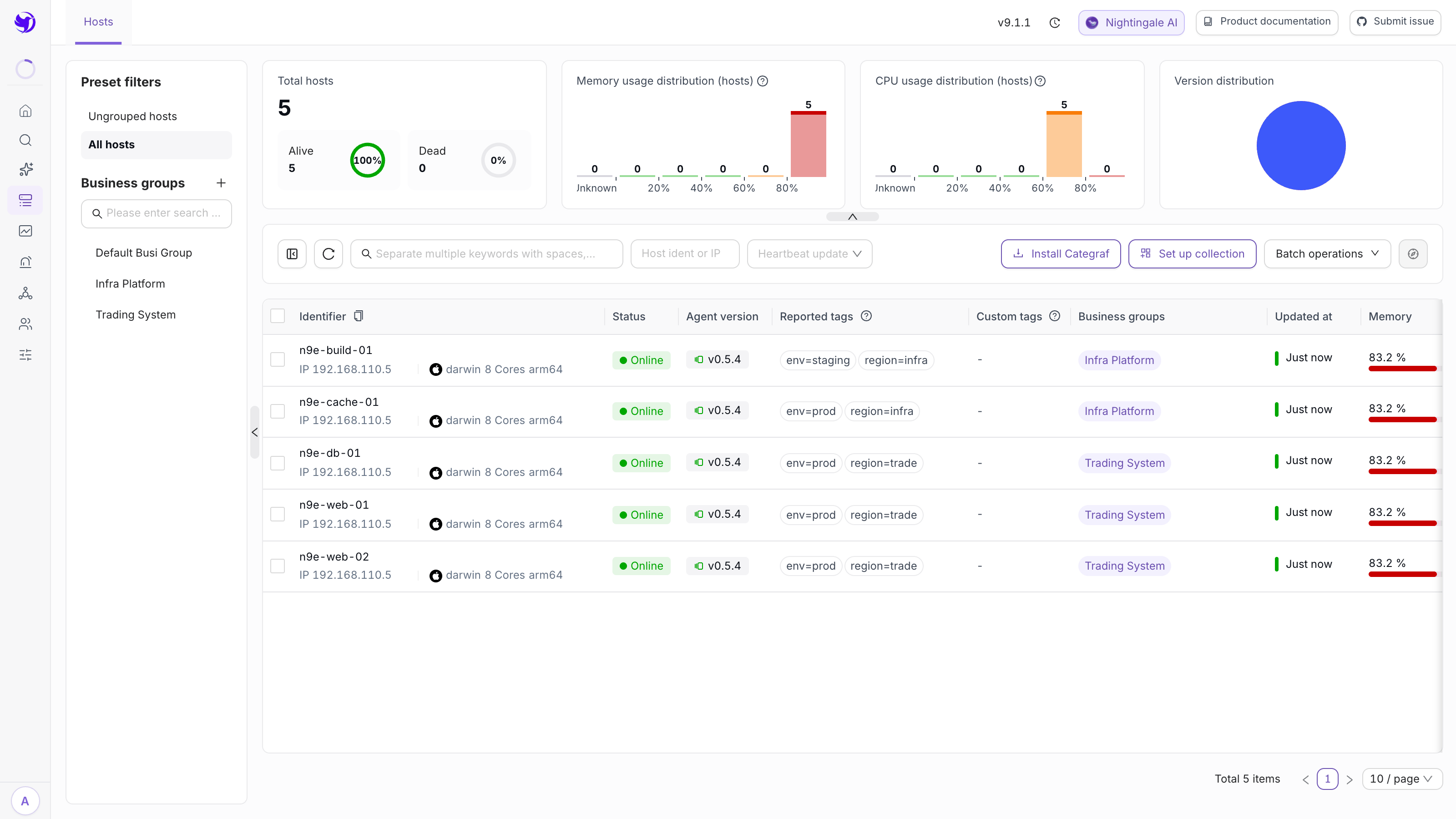
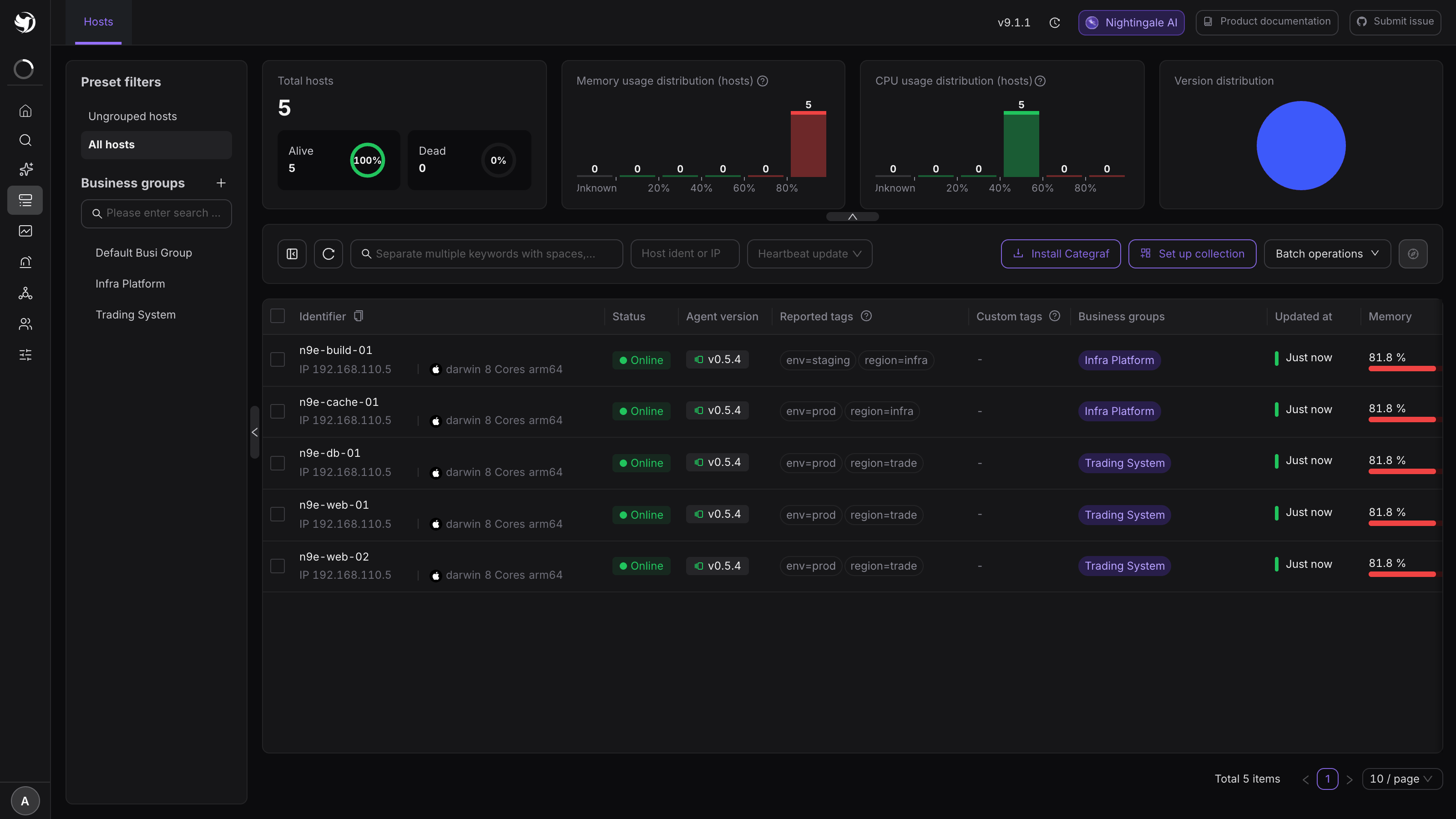
If it is not there, check in this order:
post to ... got errorin the Categraf log — the write URL is unreachable;- whether the host can actually reach Nightingale (firewall, security group);
- whether the clocks differ by more than a couple of minutes.
Details in Why does a Categraf target show as offline?.
5. Import a dashboard and rules while you are here
Integrations → Components → Linux bundles matching dashboards and alert rules. Select and import them into a business group instead of drawing panels and writing rules from scratch.
Next
- Get alerts to a person: Notifications
- Collect other things (MySQL, Redis, Nginx…): 80+ component packs under Components
- Running the collector in production: Categraf