Upgrade and database migration
How schema migrations run on startup, and how to upgrade a multi-instance deployment in order.
Last reviewed
The commands for replacing a binary are in Upgrade. This page is the runtime half: what the process does to your schema when it boots, and what a multi-instance deployment looks like from the moment the first instance goes down until the last one is back.
Migration runs inside the process, at startup
There is no migration command and no migration state table. Right after n9e connects to the
metadata database — before Redis, before the caches, before the HTTP listener — it runs GORM's
AutoMigrate over the model list compiled into the binary. Everything the new version needs appears
then, or not at all.
Two properties follow from that, and both matter:
- It is additive. Missing tables, columns and indexes are created; nothing is ever dropped, and nothing is recorded about what the schema looked like before. That is why there is no reverse migration — see Rollback.
- The models are the schema, not the SQL files.
docker/sqlite.sqlanddocker/initsql/a-n9e.sqlare fresh-install artefacts and lag behind:sqlite.sqlcontains nonotify_rule,notify_channel_config,message_template,event_pipelineorai_llm_configtable at all. Those tables exist in a running v9 only because AutoMigrate created them. Never diff your live schema against those files to decide whether an upgrade landed.
Startup order, in the order things can fail:
| Step | If it fails |
|---|---|
| Connect to the metadata database | The process exits |
| Run the schema migration | Logged, and startup continues |
| Create the root user and the JWT signing key | Logged, and startup continues |
| Connect to Redis | The process exits |
| Load config into in-memory caches, start the alerting engine | Rules do not evaluate |
| Listen on 17000 | The port is in use; the process exits |
Two phases: small tables block startup, big ones do not
| Phase | Covers | Blocks startup |
|---|---|---|
| Synchronous | Every table except the event tables — rules, users, data sources, notification config | Yes |
| Asynchronous goroutine | alert_cur_event, alert_his_event, and three indexes | No |
The asynchronous phase also builds three indexes, on the two tables that grow without bound — and they are not built the same way:
- the two on
notification_recordare issued deliberately non-blocking:ALGORITHM=INPLACE, LOCK=NONEon MySQL,CREATE INDEX CONCURRENTLYon PostgreSQL. Where MySQL cannot do it online it fails loudly rather than degrading into a write-blocking DDL; idx_group_last_eval_timeonalert_his_eventis a plainCREATE INDEXwith no such clause. On PostgreSQL that holds a share lock on the table for the whole build, which blocks inserts into it — andalert_his_eventis usually the largest table you have. On a big PostgreSQL deployment, expect historical events to stall while it builds.
Which means the process answers /ping, serves the UI and evaluates rules while the largest table
in your database is still being altered. On a multi-gigabyte alert_his_event that runs for tens
of minutes. Do not restart to unstick it: a restart begins the same work again.
One expected warning: if notification_record does not yet have a notify_rule_id column, the
index that needs it is skipped with will retry on next start, and the other one is created
anyway. Leave it alone.
A failed migration does not stop the process
Every migration error is written to the log and swallowed; a panic inside migration is recovered.
The design is deliberate — another instance or the next restart repairs the schema — but the
consequence is easy to miss: an instance can be up, serving traffic and heartbeating while a
column it needs is missing. You will not see a startup failure. You will see one feature failing
at runtime with an Unknown column error, days later.
So the check after an upgrade is a log grep, not a health check:
grep -iE "failed to migrate table|failed to create index" /opt/n9e/logs/*.log
Expected result: no output. Anything there is almost always a permissions problem — the account
in [DB] DSN may read and write but not CREATE or ALTER. Fix the grant and restart, or hand the
matching version sections of docker/migratesql/migrate.sql to your DBA, as described in
v8 to v9.
Let one instance migrate, then roll the rest
The migration code carries explicit guards against two things that only happen when several instances start at once, which tells you they are real:
- two instances issuing
ALTERon the same table concurrently can make the MySQL driver's column-type lookup dereference a nil type. The panic is recovered, but that migration entry point is abandoned for that start; - a duplicated
CREATE INDEXon a largealert_his_eventblocks on the metadata lock and hangs startup — not for seconds, indefinitely.
Neither corrupts data, and both cost you a start you then have to diagnose. The ordering that avoids both:
- Stop one instance, replace its binary, start it. It owns the migration.
- Wait for its log to go quiet: no
failed to migrate, and no index work still running. - Only then take the next instance, and one at a time from there.
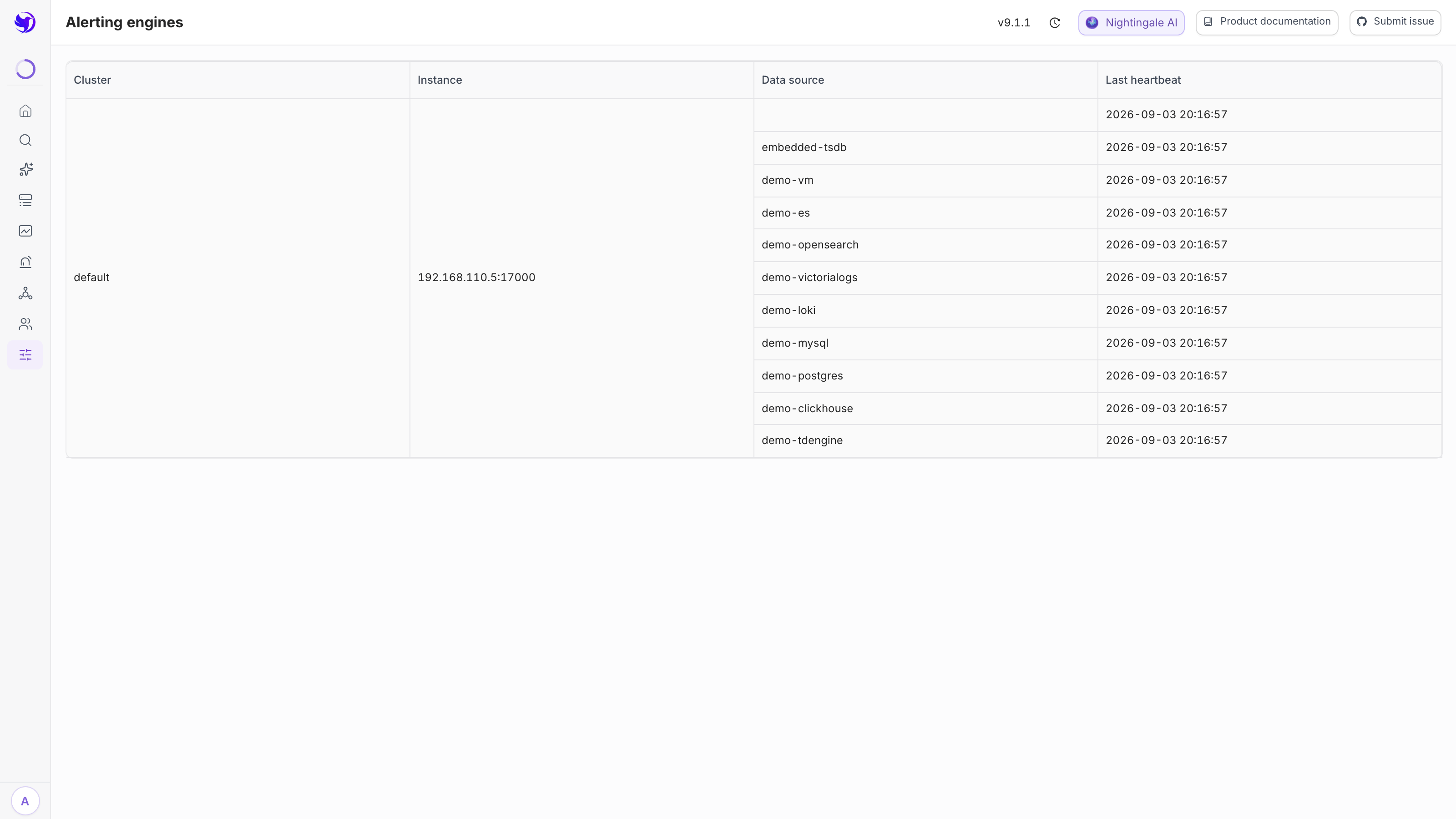
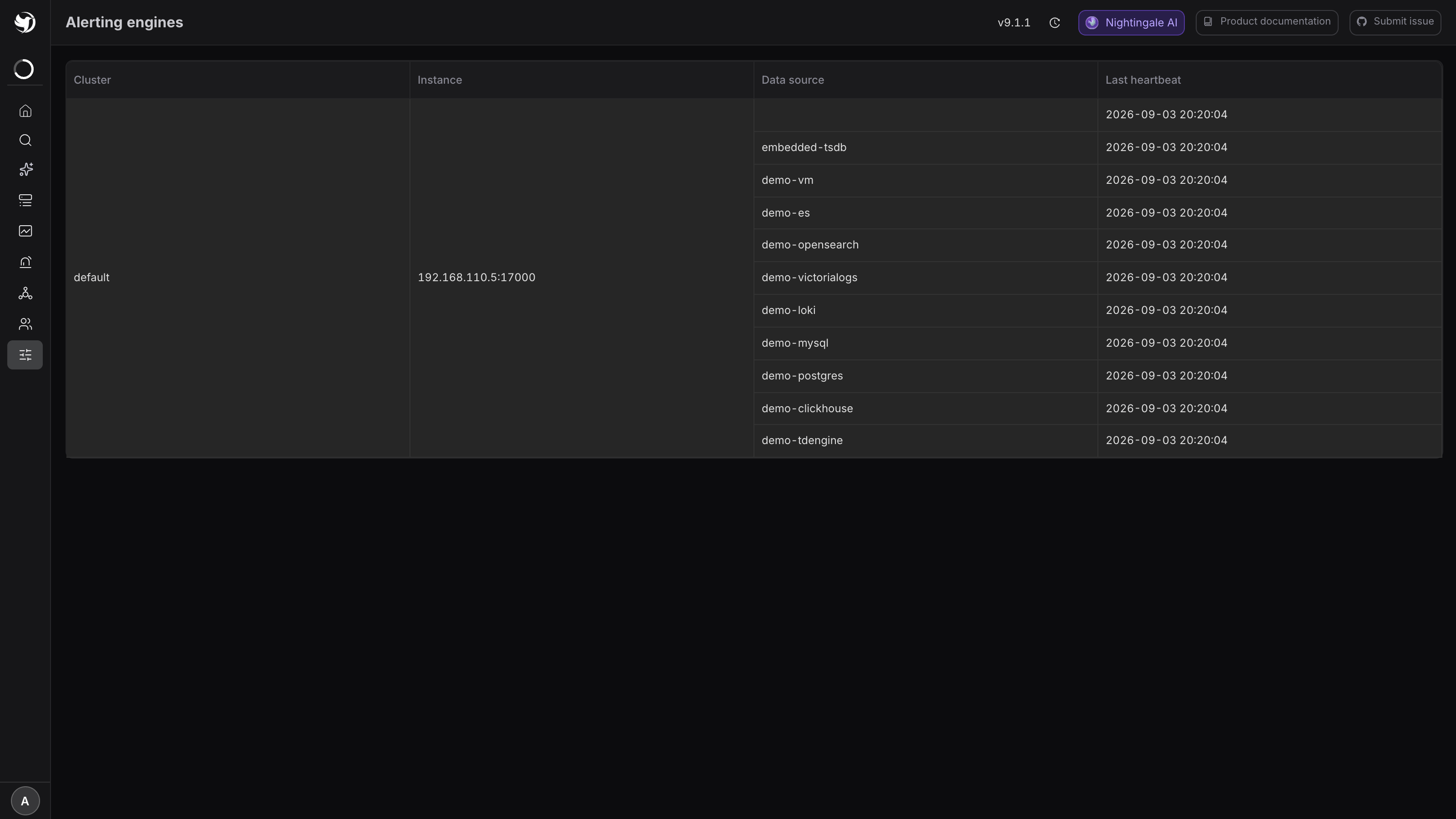
Upgrade already asks you to roll one at a time so that alerting never stops. The migration race is a second, independent reason for the same rule — and the reason the first instance deserves a pause before you touch the second, rather than a fixed interval.
What the upgrade window actually costs
Per instance, from systemctl stop to steady state:
| Function | During that instance's restart |
|---|---|
| Rule evaluation | Its rules move to a surviving instance within 30 seconds, then keep running |
| Rule evaluation, on the restarted instance | Nothing for a further 30 seconds after start ([Alert] EngineDelay) |
| Metric ingestion | Whatever writes to that instance's /prometheus/v1/write fails; put a load balancer in front, or accept the gap |
| UI and API | Unavailable on that instance only |
| Notifications | Follow evaluation — the owning instance sends them |
| Embedded TSDB | Its data is unreadable and unwritable for the whole restart, and it must not be on in a cluster anyway |
| Edge sites | n9e-edge keeps evaluating and notifying locally — see Edge network partition behavior |
Restarting every instance together turns the first row into "nothing is evaluated for as long as the upgrade takes", which is the whole reason for rolling.
Related
- Upgrade — the commands
- v8 to v9 — the cross-major breaking points
- High availability and failure domains — how rules move between instances
- Rollback and recovery — when it goes wrong
- Why does an upgrade or database migration fail? — when the log has something in it