SSO / external identity integration
OIDC, OAuth2, LDAP, CAS, DingTalk and Feishu login, and mapping external groups to roles.
Last reviewed
Where this page ends: people sign in to Nightingale with their corporate account, an account is created automatically on first login, and it lands on a role and a team that can actually see something — that last clause is where SSO integrations usually go wrong.
Six providers, two ways to configure them
System → SSO (/system/sso-settings) has six tabs: LDAP, CAS, OIDC, OAuth2, DingTalk, Feishu.
How you edit depends on the tab:
- LDAP / CAS / OIDC / OAuth2: one block of TOML, edited directly in a code editor. The field names are the TOML keys.
- DingTalk / Feishu: an ordinary form.
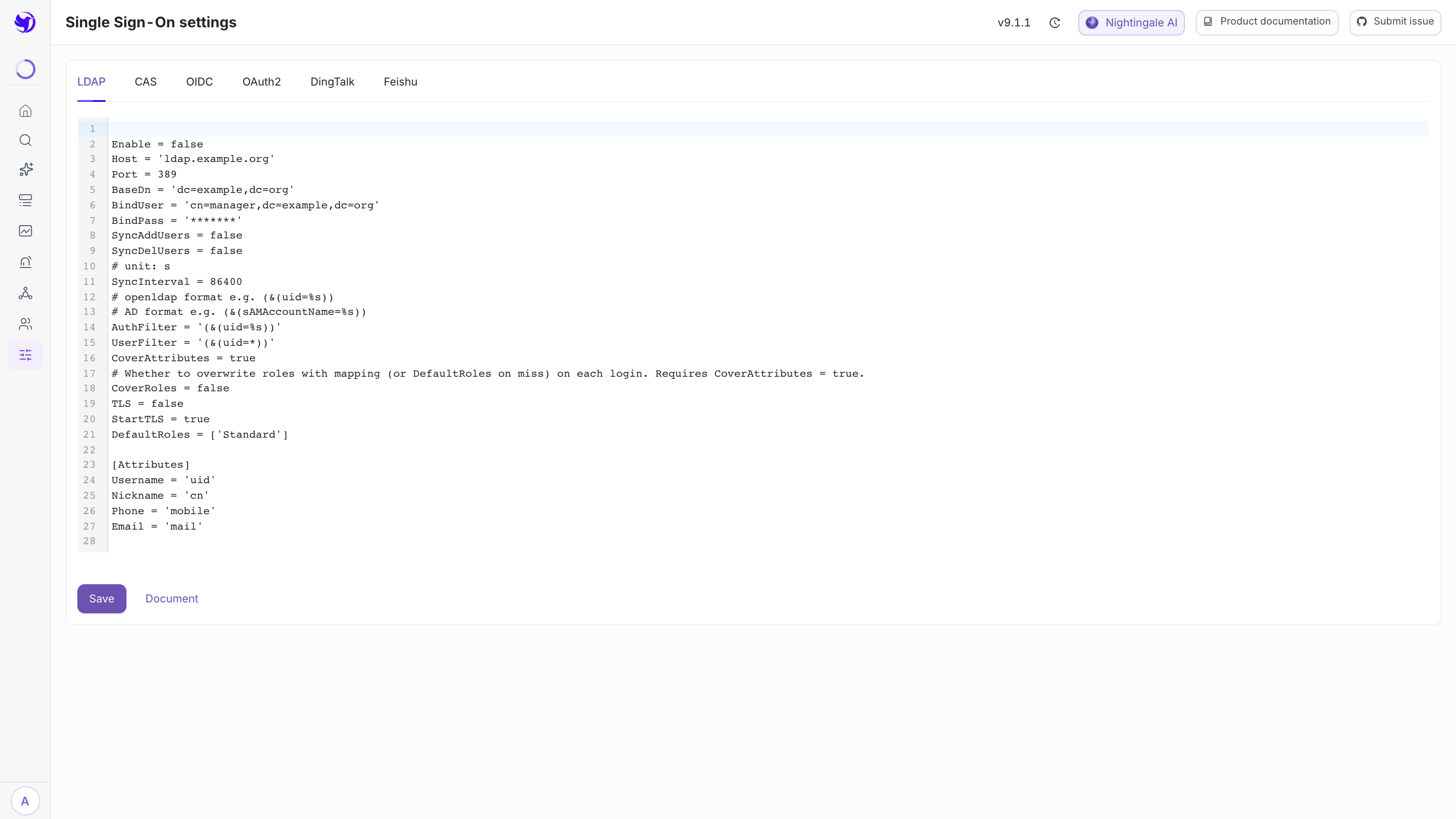
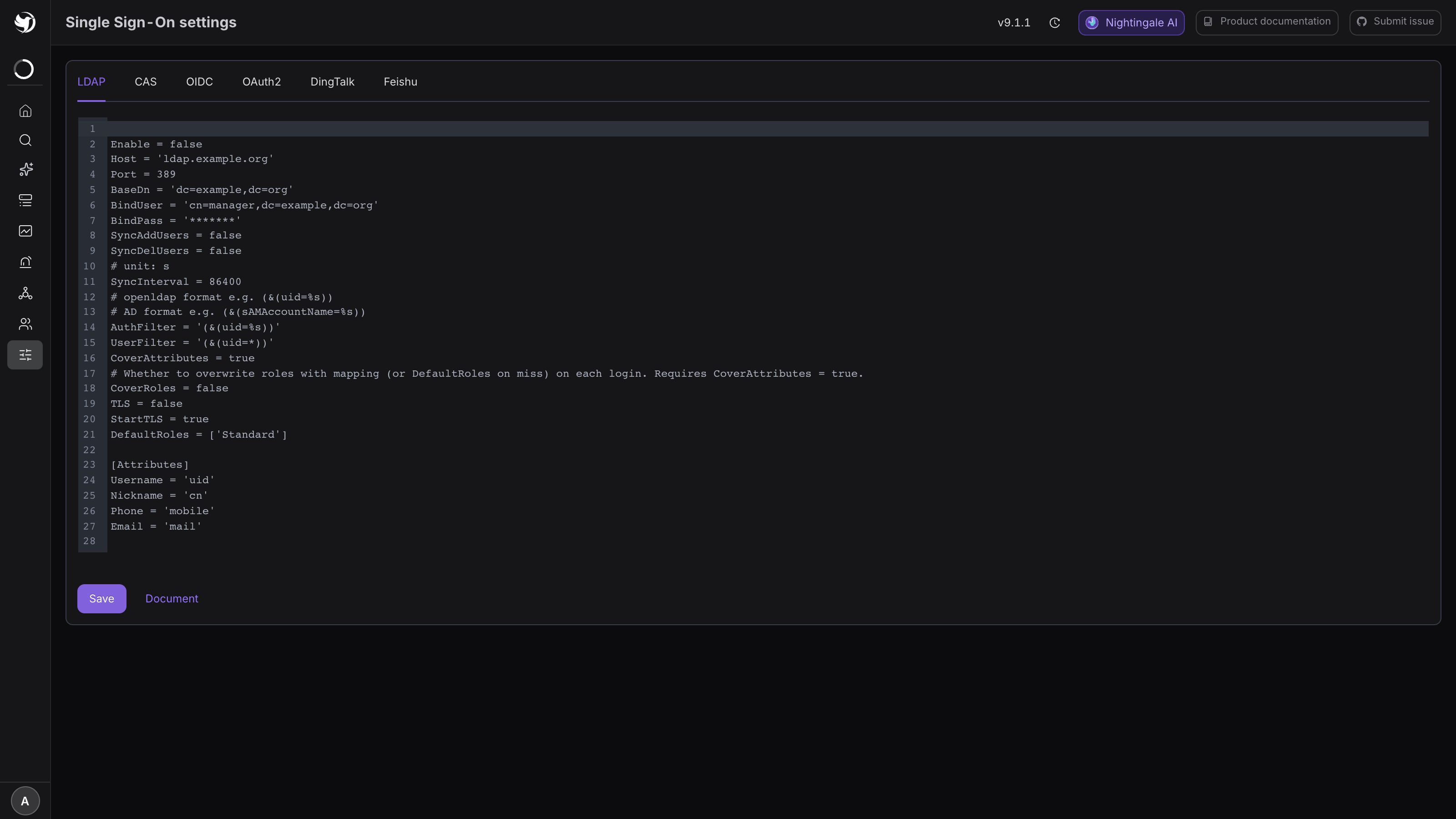
Both end in a Save button at the bottom. Saving needs no process restart — the backend
periodically compares the configuration's update time and reloads when it moves. Saving requires
Admin; the /system/sso-settings permission point only governs menu visibility, as covered in
Roles and permission matrix.
Configuration bodies can reference encrypted variables as {{.variable_name}}, and all six
providers support it. Use that for values like ClientSecret and BindPass when you would rather
not leave them as plaintext in the database — see Secret management.
1. Connect an OIDC provider
Set Enable to true in the OIDC tab and fill in the rest:
Enable = true
DisplayName = 'Sign in with OIDC'
RedirectURL = 'https://<your-nightingale>/callback'
SsoAddr = 'https://sso.example.org'
SsoLogoutAddr = 'https://sso.example.org/session/end'
ClientId = '<issued by your IdP>'
ClientSecret = '{{.oidc_client_secret}}'
CoverAttributes = true
DefaultRoles = ['Standard']
Scopes = ['openid', 'profile', 'email', 'phone']

[Attributes]
Username = 'sub'
Nickname = 'nickname'
Phone = 'phone_number'
Email = 'email'
What matters here:
RedirectURLmust match the callback registered at the IdP character for character; the path is always/callback.[Attributes]maps "what the IdP calls this claim" onto Nightingale's fields.Usernamedecides the login name, so pick a claim that will not change —subis safer thanemail, because a login name cannot be edited once the account exists.CoverAttributes = truemeans every login overwrites the display name, phone and email in Nightingale with the IdP's values.DefaultRolesapplies only when the account is created on first login.
Expected result: back on the login page there is an extra button carrying the DisplayName text.
Clicking it redirects to the IdP and returns you to Nightingale already signed in.
2. Connect a generic OAuth2 provider
Use this tab for an identity provider that speaks plain OAuth2 but not OIDC — typically an in-house SSO with its own user-info API. If your provider supports OIDC, prefer the OIDC tab.
Enable = true
DisplayName = 'Sign in with OAuth2'
RedirectURL = 'https://<your-nightingale>/callback/oauth'
SsoAddr = 'https://sso.example.com/oauth2/authorize'
SsoLogoutAddr = 'https://sso.example.com/oauth2/logout'
TokenAddr = 'https://sso.example.com/oauth2/token'
UserInfoAddr = 'https://sso.example.com/api/v1/user/info'
TranTokenMethod = 'header'
ClientId = '<issued by your IdP>'
ClientSecret = '{{.oauth2_client_secret}}'
CoverAttributes = true
DefaultRoles = ['Standard']
DefaultTeams = [1]
UserinfoIsArray = false
UserinfoPrefix = 'data'
Scopes = ['profile', 'email', 'phone']

[Attributes]
Username = 'sub'
Nickname = 'nickname'
Phone = 'phone_number'
Email = 'email'
The login runs in four hops, and each address above serves one of them:
- The browser is sent to
SsoAddr(the authorize endpoint) with the client ID,Scopes, a state value andRedirectURL. - The IdP sends the browser back to
RedirectURLwith a code. The path is always/callback/oauth, and it must match what is registered at the IdP exactly. - The backend exchanges the code for an access token at
TokenAddr, usingClientIdandClientSecret. - The backend calls
UserInfoAddrwith that token and maps the response through[Attributes].
The state value is kept in Redis for 5 minutes, so a login has to complete within that window.
| Field | Notes |
|---|---|
TranTokenMethod | How the token is passed to UserInfoAddr. header (default): GET with Authorization: Bearer <token> and a client_id header. querystring: GET with ?access_token=…&client_id=…, plus the Bearer header. formdata: POST with access_token and client_id as a form body |
UserinfoPrefix | Where the user object sits in the response. Leave it empty when the fields are at the top level. Dot paths such as data.user work |
UserinfoIsArray | Set to true when the user object is the first element of an array |
[Attributes] | Field names inside that user object. Username becomes the login name and cannot be changed later, so pick a stable one |
DefaultRoles / DefaultTeams | Applied only when the account is created on first login. DefaultTeams takes team IDs |
SsoLogoutAddr | Where the browser goes after signing out of Nightingale; leave empty to stay local |
SkipTlsVerify | Not in the template; add SkipTlsVerify = true for an IdP with a self-signed certificate |
Reading UserinfoPrefix and UserinfoIsArray against a real response:
| User-info response | Settings |
|---|---|
{"sub": "alice", "email": "…"} | UserinfoPrefix = '' |
{"code": 0, "data": {"sub": "alice"}} | UserinfoPrefix = 'data' |
{"data": [{"sub": "alice"}]} | UserinfoPrefix = 'data', UserinfoIsArray = true |
{"data": {"user": {"sub": "alice"}}} | UserinfoPrefix = 'data.user' |
Call UserInfoAddr once by hand with a real token before you save: a prefix or attribute name
that does not match produces empty fields rather than an error.
RSVerifyMethod, IntrospectAddr and IntrospectCacheSeconds do not affect browser login. They
apply only when this provider also guards A2A and MCP access tokens; see
OAuth 2.1 and external identity providers.
3. Connect CAS
Enable = true
DisplayName = 'Sign in with CAS'
RedirectURL = 'https://<your-nightingale>/callback/cas'
SsoAddr = 'https://cas.example.com/cas'
LoginPath = '/login'
SsoLogoutAddr = 'https://cas.example.com/cas/logout'
CoverAttributes = true
DefaultRoles = ['Standard']

[Attributes]
Nickname = 'displayName'
Phone = 'mobile'
Email = 'mail'
Two addresses are derived from SsoAddr, and getting them right is most of the work:
| Step | Address |
|---|---|
| Login page | SsoAddr + LoginPath, with ?service=<RedirectURL> |
| Ticket validation | SsoAddr + /serviceValidate (CAS 2.0 protocol) |
With the example above that is https://cas.example.com/cas/login and
https://cas.example.com/cas/serviceValidate.
- Set
LoginPathexplicitly. When it is empty,/cas/loginis appended toSsoAddr— or/loginwhenSsoAddrcontainsp3. The template's sampleSsoAddralready ends in/cas/, so leavingLoginPathempty produces/cas//cas/login. RedirectURLis theservicethe CAS server sees, and its path is always/callback/cas. Many CAS servers only accept services registered in their service registry.- The login name is the CAS principal — the
<cas:user>value in the validation response.Usernameunder[Attributes]has no effect for CAS. - Nickname, phone and email are read from
<cas:attributes>. If they come back empty, the CAS server is not releasing attributes on the CAS 2.0 validation endpoint; check its attribute release policy for this service. - CAS has no
DefaultTeams. New CAS accounts getDefaultRolesand no team, so assign teams afterwards — see the trap in section 6. - Add
SkipTlsVerify = trueif the CAS server uses a self-signed certificate.
4. Connect LDAP
LDAP does not redirect the browser. People type their LDAP username and password into Nightingale's own login form, and the backend validates that pair against LDAP. There is therefore no callback URL.
Enable = true
Host = 'ldap.example.org'
Port = 389
BaseDn = 'dc=example,dc=org'
BindUser = 'cn=manager,dc=example,dc=org'
BindPass = '{{.ldap_bind_pass}}'
AuthFilter = '(&(uid=%s))'
UserFilter = '(&(uid=*))'
CoverAttributes = true
CoverRoles = false
TLS = false
StartTLS = true
DefaultRoles = ['Standard']
SyncAddUsers = false
SyncDelUsers = false
SyncInterval = 86400

[Attributes]
Username = 'uid'
Nickname = 'cn'
Phone = 'mobile'
Email = 'mail'
- The
%sinAuthFilteris replaced with the login name. OpenLDAP is usually(&(uid=%s)); Active Directory is(&(sAMAccountName=%s)). BaseDnaccepts several values separated by|.TLSmeans ldaps (switch to port 636);StartTLSupgrades on 389. Pick one.- With
SyncAddUsers/SyncDelUserson, everyone matchingUserFilteris synced in — and those who disappear are cleaned up — everySyncIntervalseconds.
LDAP is the only one of the six that can map external groups onto roles and teams. Append one
[[RoleTeamMapping]] block per group:
[[RoleTeamMapping]]
DN = 'cn=sre,ou=groups,dc=example,dc=org'
Roles = ['Standard']
Teams = [1]

[[RoleTeamMapping]]
DN = 'cn=platform-admins,ou=groups,dc=example,dc=org'
Roles = ['Admin']
Teams = [1, 2]
- Matching runs against the user entry's
memberOfattribute, plus the user's own DN. That attribute name is fixed — naming a different one under[Attributes]has no effect. - When several blocks match, the roles and teams are unioned.
Teamstakes team IDs, visible in the header row on the right after selecting a team under Organization → Teams.- When nothing matches, it falls back to
DefaultRolesandDefaultTeams. - To have every login refresh roles from the mapping,
CoverRolesandCoverAttributesmust both betrue.CoverRolesdefaults tofalse, meaning the mapping is applied only once at account creation and roles edited by hand in Nightingale are never overwritten. This is the single most commonly misconfigured setting here.
Expected result: log in with an account in cn=sre, then find that row under Organization →
Users — the source reads ldap, and the roles and teams match the mapping.
5. DingTalk and Feishu QR login
These two are forms, not TOML. Required: enable, display name, APP ID / Client ID, APP Secret /
Client secret, username field, and default roles. The callback URLs are
https://<your-nightingale>/callback/dingtalk and .../callback/feishu, and must match what is
registered on the open platform.
- Username field decides which of the provider's attributes becomes the Nightingale login name. Feishu offers user ID / email / phone / name; DingTalk offers phone / name / email. A login name cannot be changed once created, so decide first: phone numbers and email addresses really do change, while a user ID is stable but unreadable.
- Update user information overwrites the phone and email held in Nightingale on every login.
- DingTalk's advanced settings add
Endpoint, a proxy address, and a User details switch. Turn that on only if you need employee email and phone from the address book — and grant the "Address Book User Details" permission on the DingTalk open platform, or the call returns nothing. - Default team / default roles apply when the account is created on first login.
6. What a first-login account looks like
Whichever provider is used, the first login creates a user:
| Field | Comes from |
|---|---|
| Login name | [Attributes] Username, or the form's "Username field" |
| Display name / phone / email | The matching entries under [Attributes] |
| Roles | DefaultRoles — or the mapping, when LDAP matched a [[RoleTeamMapping]] |
| Teams | DefaultTeams / default team — empty when unset |
Under Organization → Users, these accounts show the provider's name in the Source column, so it is obvious at a glance which accounts are yours and which belong to the IdP.
And here is the trap: DefaultRoles may say Standard, and the person really can log in — but
with no team, they open the UI and see nothing at all, because permissions have two layers and the
second one is unconnected. So when wiring up SSO, DefaultTeams (or the form's default team)
should almost always be set, and that team should hold an authorization on some business group.
The long version is in Users and teams and
Business group authorization.
One more: do not delete SSO accounts by hand in Nightingale — the next login recreates them.
Let the identity provider own the lifecycle, and let Nightingale follow with settings like
SyncDelUsers.
7. Reverse-proxy authentication is a different route
If a gateway in front already handles authentication centrally, you can skip every provider on this
page and use [HTTP.ProxyAuth] in the config file instead: the gateway authenticates and passes
the username in a header.
It is not the same thing, and the two cannot be mixed — enabling ProxyAuth disables JWT login
altogether, which makes all six buttons configured here useless. Its prerequisite (17000 reachable
from the gateway only) and its risks are in Network and TLS hardening.
Next
- Granting permissions once accounts exist: Users and teams
- What is actually in a role: Roles and permission matrix
- Turning a client secret into an encrypted variable: Site and user variable settings