Symptom-based alerting with Prometheus
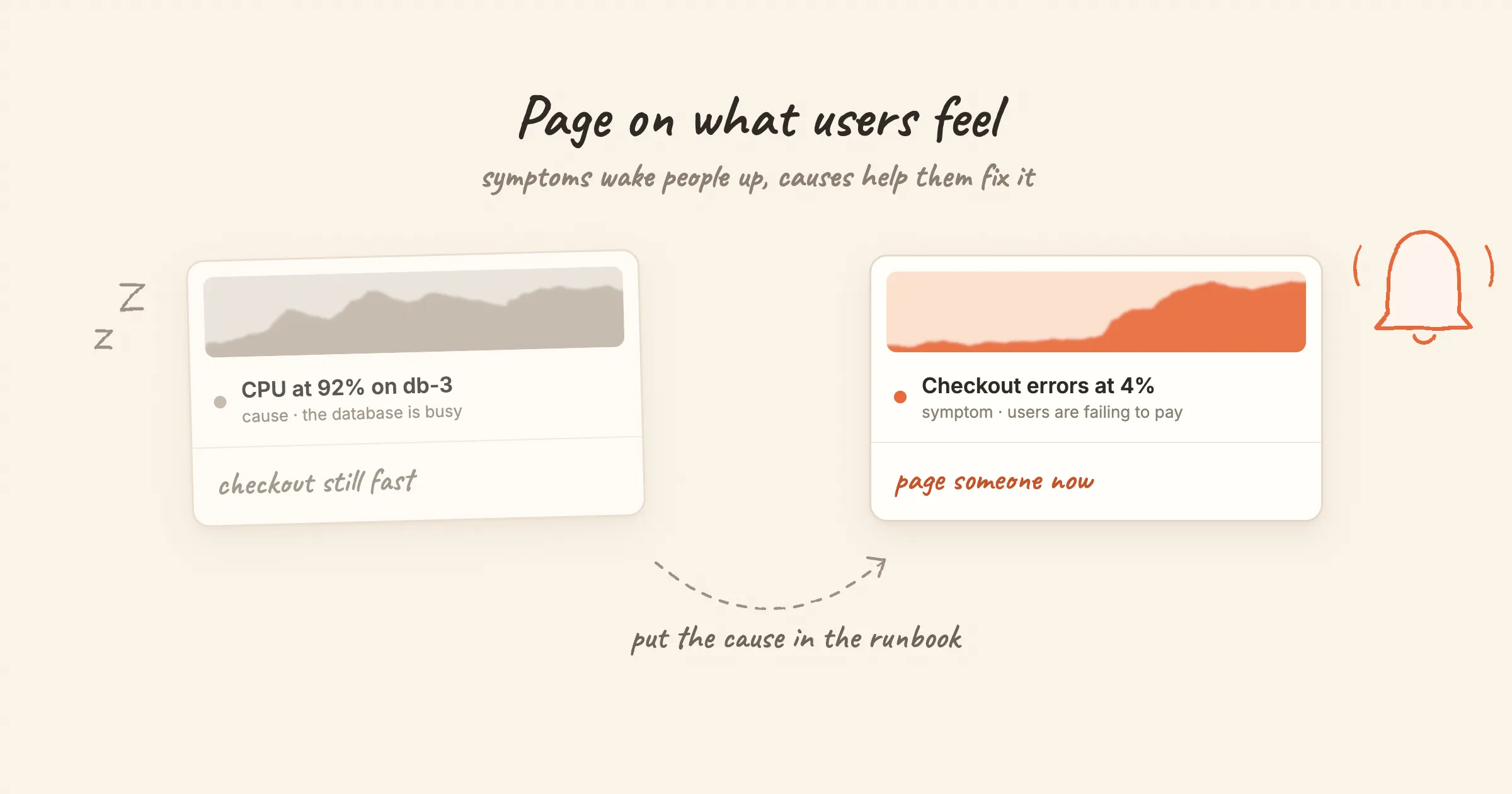
At 3 a.m. an alert says CPU is at 92% on db-3. The on-call engineer opens the dashboards. Checkout is fast, errors are flat, and nobody is affected. The alert was true and useless.
A week later, checkout fails for 20 minutes because a dependency returns errors. CPU is fine, memory is fine, every host looks healthy. No alert fires.
Both failures have the same root cause: the rules watch causes, not symptoms. This post explains the difference, shows what symptom rules look like in PromQL, and explains where cause alerts still earn their place.
Symptoms and causes
A symptom is what users experience: requests failing, pages loading slowly, a service unreachable, data arriving late. A cause is why: a saturated CPU, a full disk, a crashed pod, a slow query.
The idea comes from Google's SRE book. Chapter 6, "Monitoring Distributed Systems", argues that paging should be driven by symptoms, and proposes four golden signals to watch on every user-facing system: latency, traffic, errors and saturation. Rob Ewaschuk's essay "My Philosophy on Alerting", written while he was an SRE at Google, makes the same case in more detail.
Cause-based paging fails in two directions:
- Causes without symptoms create noise. High CPU, a pod restart, one replica out of three down. Systems absorb these all the time. Each page that turns out to be harmless teaches people to ignore the next one.
- Symptoms without a known cause create silence. You can only write cause rules for failures you have imagined. A new failure mode, a dependency outage or a bad deploy that leaves every resource metric normal goes unnoticed.
A symptom rule catches both the failures you predicted and the ones you didn't, because it watches the outcome instead of the mechanism.
What symptom rules look like
The metric names below follow common conventions. Yours will depend on your instrumentation library, ingress controller or service mesh.
Errors: the share of requests that fail.
sum(rate(http_requests_total{job="checkout", code=~"5.."}[5m]))
  /
sum(rate(http_requests_total{job="checkout"}[5m]))
> 0.02
Use a ratio, not a count. 50 errors a minute is a disaster at 100 requests and noise at 100,000.
Latency: how slow the slow requests are.
histogram_quantile(0.99,
  sum by (le) (rate(http_request_duration_seconds_bucket{job="checkout"}[5m]))
) > 1
Alert on a high percentile, not the average. An average of 200 ms can hide one request in fifty taking ten seconds.
Availability from outside. A probe that calls the service the way a user would catches DNS, TLS, load balancer and network failures that internal metrics never see. With the Prometheus blackbox exporter that is probe_success == 0. Our Linux rule set includes an "HTTP probe failed" rule for Categraf's HTTP checks.
Freshness and throughput for things that are not request-driven. Did the nightly job run? Is the queue draining?
time() - batch_job_last_success_timestamp_seconds{job="nightly-export"} > 26 * 3600
Three details that make symptom rules work
-
Measure where users are. The ingress or load balancer sees every request, including the ones that never reached a healthy pod. Per-pod error rates miss requests that were dropped before reaching any pod.
-
Aggregate across instances.
sum(...)over the whole service, not one alert per pod. Users don't care which replica failed them. -
Guard against low traffic. At three requests a minute, one failure is a 33% error ratio. Add a minimum volume:
(sum(rate(http_requests_total{job="checkout", code=~"5.."}[5m]))/ sum(rate(http_requests_total{job="checkout"}[5m]))) > 0.02andsum(rate(http_requests_total{job="checkout"}[5m])) > 1
Where cause alerts still belong
"Alert on symptoms" doesn't mean "delete every cause alert". Some causes deserve a notification. They just shouldn't wake anyone up.
Deadlines. A disk that will be full in 24 hours, or a certificate that expires in 7 days, is a symptom waiting to happen, with a known date. Alert on these during working hours, at warning severity. The Linux library has a predict_linear rule for disks; the Kubernetes library has certificate expiry rules.
Lost redundancy. One replica of three is down. Users are fine, but the next failure will hurt them. That is worth a ticket today, not a page tonight.
The monitoring itself. If a scrape target or collector stops reporting, every rule that depends on it looks healthy. up == 0, or a dead-man's-switch alert that always fires, is a cause alert you need from day one.
Explanation. Everything else, such as CPU, memory, GC pauses and connection counts, belongs on a dashboard or as a low-severity alert that someone looks at while investigating a symptom. The Kubernetes rules in our library follow this: "Node CPU usage exceeds 90%" ships at info severity, while the symptom-shaped rules such as KubeAPIErrorBudgetBurn go up to critical.
Connecting symptoms to causes
A symptom alert tells you that something is wrong. The responder then needs to know where to look. Two ways to close that gap:
- Put the causes in the runbook. Every symptom alert should link to a list of likely causes and the commands that confirm each one. Each page in our alert rule library follows that shape: what the alert means, common causes, then the steps to fix it. KubePodCrashLooping is a typical example.
- Mute symptoms while a known cause is active. If a whole site loses its uplink, every service there reports errors. Alertmanager's
inhibit_rules, or an equivalent, can mute the dependent alerts while the upstream alert is firing. That needs a shared label such assiteon both.
A worked example
Here is a rule set for a checkout service built on these ideas:
| Rule | Kind | Severity | Who hears about it |
|---|---|---|---|
| Error ratio above 2% for 5 minutes | Symptom | Critical | Page |
| p99 latency above 1 s for 10 minutes | Symptom | Critical | Page |
| External probe failing from 2 or more locations | Symptom | Critical | Page |
| Error ratio above 0.5% for 30 minutes | Symptom, slow burn | Warning | Team channel |
| Disk full within 24 hours | Cause with a deadline | Warning | Team channel |
| One of three replicas down for 15 minutes | Lost redundancy | Warning | Team channel |
| Scrape target down | Monitoring | Warning | Team channel |
| CPU, memory, GC, DB connections | Cause | Info or dashboard | Nobody, until someone investigates |
Three rules can page, and all three describe something a customer would notice.
Auditing a rule set you already have
For each rule that can page, ask: if this fires and users are fine, would anyone do anything? If the answer is no, lower its severity or move it to a dashboard.
Then look at the data. List the rules that fired most often in the last month and how many of those firings led to an action. Also list the rules that never fired in a year. They are usually broken rather than lucky: a renamed metric, a label that changed, a threshold that cannot be reached. Nightingale's built-in assistant can answer both questions directly ("which rules fired most often in the last 7 days, and which have never fired?"); see Common investigation workflows.
For the rules that stay, the rule design best practices page covers naming, labels and how much one rule should cover.